🎯 Key Takeaways
- ✓ Built-in warm-up (TrulyInbox) included on every plan at no extra charge
- ✓ Email Infrastructure sets up domain/inbox with SPF, DKIM, DMARC automatically
- ✓ Inbox Radar gives precise placement tests to know exactly where emails land
- ✓ Unlimited email accounts starting on the $25/month Starter plan
- ✓ 8.5/10 score: solid tool that nails the essentials—deliverability first
If your cold emails end up in spam while you're perfecting your copywriting, stop everything. The problem isn't your message, it's your infrastructure.
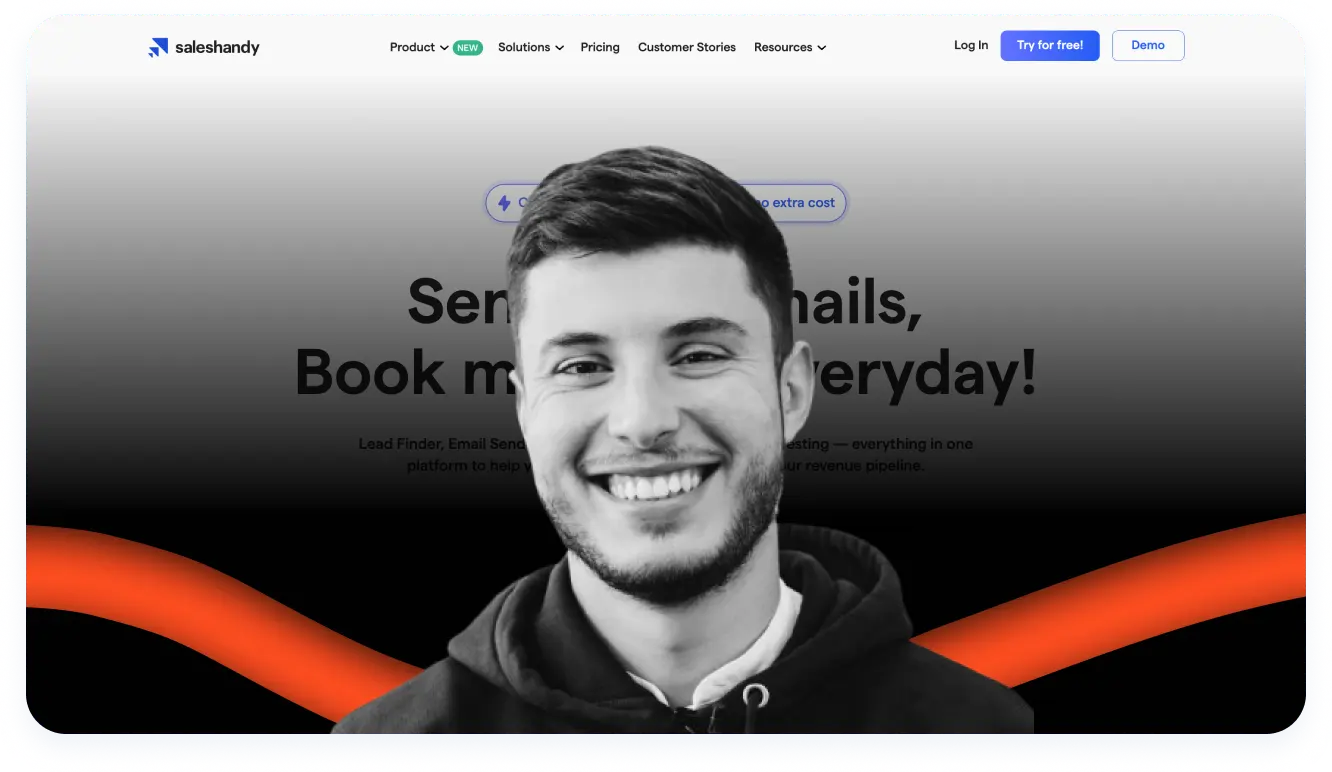
I've been using Saleshandy for several months in my prospecting stack (with Clay, Prospeo, and Perplexity for research). And let's be clear: it's one of the few tools that understood that deliverability comes before everything else.
I have a saying based on my expertise: you can have the best copywriters, the cleanest data, and a perfectly calibrated cadence, but if your emails land in spam, you're burning cash.
In this complete review, I give you my unfiltered feedback: every feature put to the test, a concrete use case, what works, what doesn't, and whether it's really worth it for your B2B prospecting.
My Quick Verdict on Saleshandy
What's really good:
- Built-in warm-up (via TrulyInbox)
- Unlimited email accounts from the Starter plan
- Email Infrastructure: domain/inbox setup in 2 clicks
- Inbox Radar: know exactly where your emails land
- 700M+ contact database integrated
- Aggressive pricing vs competition
What's holding it back:
- Daily sending limits not always clear
- Limited native CRM integrations (Zapier dependency)
- Occasional bugs on the Gmail extension
- Not made for graphic newsletters
- Rigorous DNS config required at start
| Advantages ✅ | Disadvantages ❌ |
|------------------|----------------------|
| Built-in warm-up (TrulyInbox) | Daily sending limits not always clear |
| Unlimited email accounts from Starter plan | Limited native CRM integrations (Zapier dependency) |
| Email Infrastructure: domain/inbox setup in 2 clicks | Occasional bugs on Gmail extension |
| Inbox Radar: know exactly where your emails land | Not made for graphic newsletters |
| 700M+ contact database integrated | Rigorous DNS config required at start |
| Aggressive pricing vs competition | |
Who is it for? For Growth teams, sales, freelancers, and agencies who want to scale their outbound without burning their domains.
My score: 8.5/10 — A solid tool that does the job on the essentials: sending emails that land in inbox.
What is Saleshandy, concretely?
Saleshandy is not a newsletter tool. It's a B2B cold emailing platform built around one obsession: deliverability.
The principle is simple:
- You connect your mailboxes (Gmail, Outlook, custom SMTP)
- You import your prospects (or use their 700M+ contact database)
- You create automated sequences up to 26 steps
- The tool handles warm-up, sender rotation, and tracking
What differentiates Saleshandy from Mailchimp and other Brevo tools: everything is designed for cold emailing, not for classic marketing automation.
And what differentiates it from Instantly, Smartlead, Lemlist &co is the mailbox setup.
The tool is aimed at growth teams, SDRs/BDRs, Business Developers who hunt daily, but also freelancers and agencies for whom cold email is the main acquisition channel.
All Saleshandy Features Under Scrutiny
1. Email Infrastructure: domain setup without hassle
What it is: An add-on that allows you to create and configure your domains + mailboxes directly from the Saleshandy interface, without going through your IT or struggling with DNS.
How it works: You choose a lookalike domain (e.g., your-company.co instead of your-company.com), you select your provider (Google Workspace or Maildoso), and Saleshandy automatically configures everything: SPF, DKIM, DMARC.
What it includes concretely:
- Domains starting at $14/year
- Google email accounts at $4/month
- Maildoso accounts at $2.25/month (cheaper, good reputation)
- Automatic SPF, DKIM, DMARC configuration
- US IPs only (better reputation than European or Asian IPs)
- Automatic reconnection if disconnected
- Microsoft coming soon (currently "Coming Soon")
My opinion: This is THE feature that convinced me to stay. Before, I spent 2-3 hours configuring each new domain with my host. Now, it's done in 10 minutes. For an agency managing 5-10 clients, the time savings are massive.
Feature rating: 9/10
2. Inbox Radar: know EXACTLY where your emails land
What it is: A placement test tool that tells you precisely if your emails arrive in the main inbox, in spam, in promotions, or if they're not delivered at all.
How it works: You launch a test (manually, on a schedule, or automatically before each campaign). Saleshandy sends test emails to real Gmail, Outlook, etc. mailboxes and reports the results.
What you see in the dashboard:
- Overall placement rate: e.g., 82% inbox, 11% spam, 5% other, 2% undelivered
- Breakdown by ESP (Google → 90% inbox, Outlook → 74% inbox, etc.)
- Spam words detected in your content (e.g., "free", "urgent", "limited offer")
- Blacklist status of your domains and IPs
- SPF/DKIM/DMARC problems identified
- Concrete improvement suggestions
My opinion: This is a game-changer for diagnosis. Before, when my reply rates dropped, I changed the copy. Now, I run an Inbox Radar test first. 8 times out of 10, the problem comes from deliverability, not the message.
I run a test:
- Before each new campaign
- Mid-campaign if stats drop
- After adding a new domain
Feature rating: 9/10
3. Automatic warm-up via TrulyInbox
What it is: A warm-up system that "heats up" your email addresses progressively by simulating real exchanges, to build your sender reputation before launching campaigns.
How it works: Saleshandy integrates TrulyInbox (their partner). As soon as you connect a new mailbox, warm-up starts automatically in the background. The tool sends and receives emails from a network of "friendly" mailboxes, opens messages, removes them from spam if necessary, and replies.
Why it's crucial: If you launch 500 emails from a cold address, you end up in spam in 48 hours. Warm-up simulates normal human activity for 2-4 weeks so Gmail/Outlook trusts you.
What's included:
- Automatic warm-up upon connection
- No limit on the number of mailboxes (within fair use limits)
- Reporting on the "health" of each address
- Included in all plans — no paid add-on
My opinion: The fact that it's included in the base price is a huge advantage. With some competitors, warm-up costs $25-75/month extra. Here, it's native.
Only downside: you depend on a third-party service (TrulyInbox). If their network has a problem, your warm-up is impacted.
Feature rating: 8.5/10
4. Sender Rotation: distribute the load across multiple addresses
What it is: A feature that automatically distributes the sending of your emails across multiple sender accounts, instead of sending everything from a single address.
How it works: You connect multiple mailboxes to your sequence (e.g., [email protected], [email protected], [email protected]). Saleshandy distributes sends between these addresses intelligently.
Why it's important: Sending 500 emails/day from a single address = red flag for Google and Outlook. Distributing across 5 addresses at 100 emails each = normal behavior.
What it allows:
- Increase your volumes without burning your domains
- Fly under the radar of anti-spam filters
- Continue sending even if one address has a problem
- Test different signatures or approaches
My opinion: It's common sense, but many competitors don't offer it natively or charge extra for it. Here, it's included.
Feature rating: 8/10
5. Automated sequences up to 26 steps
What it is: The core of the reactor. You create a series of emails and follow-ups that go out automatically according to a defined schedule.
How it works:
1. You create your initial email
2. You add follow-ups with delays (e.g., D+3, D+7, D+14)
3. You import your prospect list
4. You launch — Saleshandy handles the rest
Key features:
- Up to 26 steps per sequence (more than enough)
- Customizable delays between each step
- Personalization variables: first name, company, position
- Spintax to automatically vary wording
- Automatic stop if prospect replies (avoid gaffes)
- Pause if out-of-office detected, automatic resume upon return
My opinion: Automatic stop on reply is crucial. Nothing worse than sending a follow-up "Did you have time to look at my email?" to someone who just proposed a call. Saleshandy handles this cleanly.
Feature rating: 8.5/10
6. Personalization and templates
What it is: Tools to personalize your emails at scale without losing the human touch.
What's available:
- Merge fields: first name, last name, company, position, city
- Custom fields: you can create your own variables
- Spintax: generates automatic variations
- Template library: save your best emails to reuse them
- AI Sequence Copilot: generates variants of your messages (requires AI credits)
My opinion: Personalization is decent but not revolutionary. For really advanced personalization (custom images, videos, etc.), Lemlist remains ahead. But for effective text-based cold email, Saleshandy does the job.
Feature rating: 7.5/10
7. Lead Finder: 700M+ contact database
What it is: An integrated B2B database with over 700 million professional contacts (emails + phone numbers).
How it works: You filter by criteria (sector, company size, position, location, etc.), you select the profiles you're interested in, and you add them directly to your sequence.
What it includes:
- Advanced filters by industry, size, location, position
- Verified professional emails
- Direct phone numbers (depending on plans)
- Credits included according to your plan (e.g., 1,100 credits for Starter)
- Additional credits purchasable
My opinion: Convenient to start quickly or for one-off searches. But honestly, for precise and contextual enrichment, I prefer using specialized tools like Clay or Prospeo. Data quality varies.
Feature rating: 7/10
8. Unified Inbox: all responses in one place
What it is: A centralized inbox that aggregates responses from all your sequences and all your email accounts.
Why it's useful: If you use 5 addresses in rotation across 3 different campaigns, you don't want to juggle between 15 tabs to see who replied.
What it allows:
- See all responses in one place
- Reply directly from the interface
- Sort by campaign, by status (interested, not interested, out-of-office)
- Handle hot leads as a priority
My opinion: Essential as soon as you scale. Response time on a hot lead often makes the difference between a booked meeting and a cooled prospect.
Feature rating: 8/10
9. Email verification before sending
What it is: A validation system that verifies the email addresses on your list before sending, to eliminate invalid or risky emails.
Why it's important: A high bounce rate (undelivered emails) destroys your sender reputation. If you send to 20% invalid addresses, Gmail considers you a spammer.
What's verified:
- Invalid addresses (typos, non-existent domains)
- Catch-all (addresses that accept everything but read nothing)
- Risky addresses (flagged as spam traps)
What it includes:
- Verification credits according to plan (e.g., 1,100 for Starter)
- Automatic verification possible before each send
- Detailed report on the quality of your list
My opinion: Essential. I systematically verify my lists, even when they come from "clean" sources. A bounce rate under 2% is the minimum to maintain a good reputation.
Feature rating: 8/10
10. Tracking and analytics
What it is: Real-time tracking of your campaign performance.
What you can track:
- Open rate
- Click rate (if you have links)
- Reply rate
- Bounce rate
- Unsubscribes
- Performance by sequence step
- Performance by variant (A/B testing)
My opinion: Analytics are decent but be careful: tracking can be skewed. If you open your own emails (from your phone for example), it counts as an open. Keep that in mind when analyzing your stats.
Feature rating: 7/10
11. Agency Mode: multi-client management
What it is: A dedicated portal for agencies managing prospecting for multiple clients.
What's included:
- Unlimited clients from the Starter plan
- Separate spaces per client
- Granular permissions and access
- White-label available (on higher plans): your clients see your branding, not Saleshandy
- Consolidated dashboard to see all campaigns
My opinion: Having unlimited clients included from Starter is a huge advantage. With many competitors, it's a separate, more expensive plan.
Feature rating: 8.5/10
12. Integrations
What it is: Connections with other tools in your stack.
Native integrations:
- Gmail
- Outlook
- HubSpot (basic)
- Pipedrive
- Salesforce
- Zoho CRM
Via Zapier/Webhooks:
- Over 6,000 applications
- Custom workflows possible
My opinion: This is the weak point. Native CRM integrations are limited. For advanced workflows (e.g., automatically create a deal when a prospect replies positively), you'll have to go through Zapier. It works, but it adds a layer of complexity and potentially an additional cost.
Feature rating: 6/10
Concrete Use Case: How I Use Saleshandy in My Prospecting
Here's a real example of a workflow I set up to generate leads for a B2B SaaS client.
The Context
- Client: Project management SaaS for marketing agencies
- Target: Marketing agency directors in France, 10-50 employees
- Objective: Book demos
The Infrastructure Set Up
1. Domains and mailboxes
I created 3 lookalike domains via Saleshandy's Email Infrastructure:
- agence-client.co
- agence-client.io
- agenceclient.fr
For each domain, 2 mailboxes (6 total): pierre@ and contact@ on each domain
Cost: ~$45/year for the 3 domains + ~$25/month for the 6 mailboxes
2. Warm-up
The 6 addresses were warmed up for 3 weeks before launch. Via the integrated TrulyInbox dashboard, I monitored the "health" of each mailbox.
3. Data enrichment
I used my usual stack:
- Perplexity to identify growing marketing agencies
- LinkedIn Sales Navigator to list decision-makers
- Clay to enrich profiles (emails, recent context)
- Prospeo to validate emails
Result: a list of 850 qualified prospects with verified emails.
The Campaign
Sequence created:
1. Email 1: Personalized hook on a recent element (new client, hiring, LinkedIn post)
2. Email 2 (D+3): Short follow-up, added value
3. Email 3 (D+7): Similar client case
4. Email 4 (D+14): Breakup email
Saleshandy configuration:
- Sender Rotation activated on the 6 addresses
- Sending spread over 3 weeks
- 80 emails/day max (distributed across 6 mailboxes = ~13/mailbox)
- Open and click tracking activated
The Results
Before each launch, Inbox Radar test: 87% inbox, 8% promotions, 5% spam. Acceptable, we launch.
After 3 weeks:
- 850 prospects contacted
- 47% open rate
- 12% reply rate (102 replies)
- 23 positive replies
- 18 demos booked
- 4 clients signed
What made the difference:
- Solid infrastructure (no deliverability issues)
- Personalization via Clay (each email mentioned a specific element to the prospect)
- Follow-up timing
- Unified Inbox to quickly respond to hot leads
What I would have done differently:
- Test a 5th email (before breakup, include a Loom video for each prospect with some personalization)
- Add a LinkedIn channel in parallel (Saleshandy doesn't do multichannel natively)
My Complete Prospecting Stack with Saleshandy
Saleshandy doesn't live in a vacuum. Here's how I integrate it into my complete workflow:
| Stage | Tool | Role |
|-------|-------|------|
| Research & ICP | Perplexity AI | Analyze markets, identify personas |
| Sourcing | LinkedIn Sales Navigator | Find decision-makers |
| Enrichment | Clay + Prospeo | Verified emails + contextual data |
| Cold emailing | Saleshandy | Sending, warm-up, tracking, deliverability |
| Call analysis | Gong | Identify objections, refine copy |
| CRM | Pipedrive (via Zapier) | Deal tracking |
This combination allows me to send ultra-personalized emails at scale, with an excellent deliverability rate.
Saleshandy 2025 Pricing: How Much Does It Really Cost?
| Plan | Monthly price | Annual price (/month) | Active prospects | Emails/month | Who for? |
|------|--------------|---------------------|------------------|-------------|------------|
| Outreach Starter | $27 | $18 | 2,000 | 6,000 | Solo, freelancers, testing |
| Outreach Pro | $75 | $50 | 30,000 | 125,000 | Sales teams, scaling |
| Outreach Scale | $150 | $100 | 60,000 | 250,000 | Agencies, high volumes |
| Scale Plus | $225 | $150 | Custom | Custom | Enterprise |
What's included in ALL plans:
- Unlimited email accounts (connect as many mailboxes as you want)
- Unlimited clients (agency mode)
- Warm-up via TrulyInbox
- Unified Inbox
- Unlimited sequences
- Sender Rotation
- 7-day free trial
Paid add-ons:
- Email Infrastructure: starting at ~$720/year for the complete package
- Lead Finder credits: according to volume
- AI credits: for AI Sequence Copilot
- Additional verification credits: if you exceed your quota
My Opinion on Pricing
It's one of the best value-for-money ratios on the market in 2025.
Quick comparison:
- Lemlist starts at $69/month for comparable features
- Instantly starts at $30/month but with fewer prospects (1,000 vs 2,000)
- Apollo.io is free to start but becomes expensive when you scale
Having warm-up and unlimited accounts included from Starter at $18/month (annual), it's rare. Most competitors charge warm-up extra.
My advice: The Pro plan at $50/month (annual) offers the best balance for a team that wants to truly scale. 30,000 prospects and 125,000 emails is comfortable.
Saleshandy's Limitations (Let's Be Honest)
1. Daily sending limits can surprise
Marketing announces "6,000 emails/month" on Starter. But be careful: there are daily limits per account (often 200-300/day) to protect your reputation.
It's logical from a deliverability standpoint—sending 6,000 emails in one day from a single address is suicide. But the lack of clarity in communication can be frustrating.
My advice: Clarify this point with support before committing if you have very specific volume needs. And anyway, use Sender Rotation across multiple addresses to distribute the load.
2. Limited native CRM integrations
Integrations with HubSpot, Pipedrive, and Salesforce exist, but remain basic. For advanced workflows (e.g., automatically create a deal, update custom properties, trigger actions in your CRM), you'll go through Zapier.
Not a dealbreaker, but it adds:
- A configuration layer
- Potentially a Zapier cost (if you exceed the free plan)
- An additional friction point
3. No native multichannel
Saleshandy does email. Period. If you want to add LinkedIn, SMS, or calls to your sequence, you'll have to use other tools and orchestrate yourself.
Competitors like Lemlist or Apollo offer integrated multichannel. If it's crucial for you, Saleshandy may not be the right choice.
4. Some occasional technical bugs
Some users report slowdowns or bugs on the Gmail extension. In my experience, nothing blocking, but it happens.
5. Tracking can be skewed
If you open your own emails (from your phone for example), it counts as an open. Keep that in mind when analyzing your stats—your real open rate is probably slightly lower than what's displayed.
6. The learning curve on deliverability
Saleshandy gives you all the tools to do it right. But if you know nothing about SPF, DKIM, DMARC, warm-up, etc., you can still mess up.
The tool helps, but it doesn't do everything. You need to understand the basics of email deliverability to get the most out of it.
Saleshandy vs Lemlist vs Instantly: The Detailed Comparison
| Criteria | Saleshandy | Lemlist | Instantly |
|---------|------------|---------|-----------|
| Starter price (annual) | $18/month | $69/month | $30/month |
| Email accounts | Unlimited | Limited (3 on base plan) | Unlimited |
| Prospects included | 2,000 | 450/month | 1,000 |
| Warm-up included | ✅ | ✅ | ✅ |
| Visual personalization | Basic (text) | Advanced (custom images, videos) | Basic |
| Integrated lead database | 700M+ | No | Yes (Lead Finder) |
| Multichannel | ❌ Email only | ✅ Email + LinkedIn | ❌ Email only |
| Agency mode | ✅ Included (unlimited clients) | Paid (separate plan) | Paid |
| Inbox Radar / Placement tests | ✅ Advanced | Basic | ✅ |
| Email Infrastructure | ✅ (add-on) | ❌ | ❌ |
| Best for | Volume + deliverability + agencies | Creativity + personalization + multichannel | Simplicity + A/B testing |
My Comparative Verdict
Choose Saleshandy if:
- Deliverability is your #1 priority
- You want solid and easy-to-setup email infrastructure
- You manage multiple clients (agency)
- You want good value for money
Choose Lemlist if:
- You want to personalize with dynamic images/videos
- Multichannel (email + LinkedIn) is important to you
- You have the budget to pay more
Choose Instantly if:
- You're starting out and want something simple
- Advanced A/B testing interests you
- You have a tight budget
My Final Verdict on Saleshandy
Saleshandy isn't perfect. Sending limits deserve more transparency, CRM integrations could be more advanced, and the absence of multichannel can be a brake for some.
But for what really matters in cold emailing — deliverability — it's one of the best tools on the market in 2025.
The combo:
- Email Infrastructure to set up your domains in 10 min
- Inbox Radar to know where your emails land
- Integrated warm-up to not burn your addresses
- Sender Rotation to scale without risk
Saleshandy gives you everything you need to launch campaigns that arrive in inbox, not spam.
At $18/month (annual) with unlimited accounts and clients, it's hard to do better in terms of value for money.
My recommendation: If you're serious about your outbound prospecting and want solid infrastructure without paying for 3 different subscriptions, go for it. Start with the Starter plan, test for a few weeks, and upgrade to Pro when you're ready to scale.