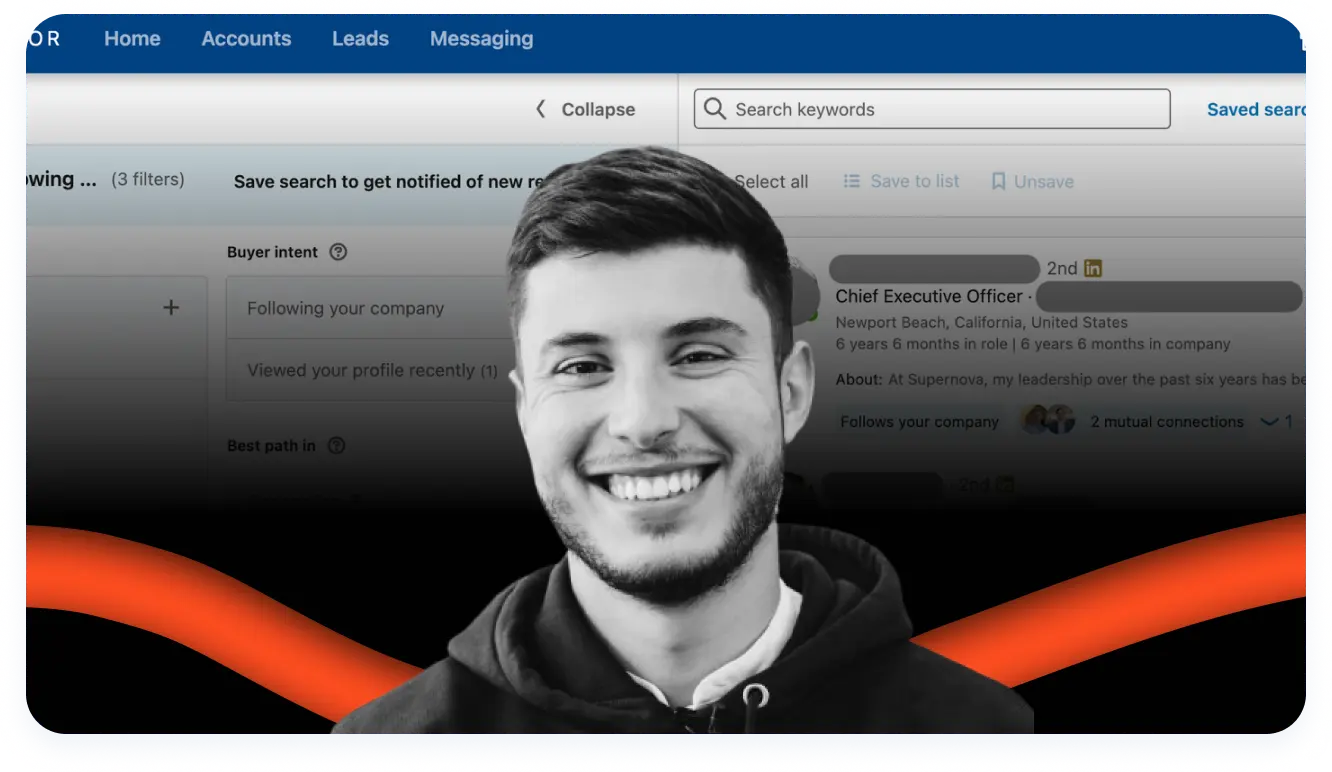
🎯 Key Takeaways
- ✓ Sniper targeting: 50+ filters and boolean search to hit your exact ICP
- ✓ Real-time alerts on roles, funding, news so you engage at the right moment
- ✓ Account/Lead IQ AI briefs before each call to save time
- ✓ Core/Advanced plans: 20–50 InMails and CRM integration to scale outbound
You're tired of prospecting into the void and watching your cold outreach messages die in inbox purgatory? If you want to finally turn LinkedIn into a real cash machine for your B2B business, this article changes everything. Today I'm breaking down LinkedIn Sales Navigator—the tool that separates amateurs from true sales pros. We'll see how it lets you target the right decision-makers with sniper-level precision, track your prospects' activity in real time, and blow up your pipeline without spending your nights on it. Spoiler: if you take B2B sales seriously, you can't live without it 🚀.
AFFILIATE LINK – Try Sales Navigator for free
What Is LinkedIn Sales Navigator?
More Than Just LinkedIn Premium
Let's be clear: LinkedIn Sales Navigator is NOT just a LinkedIn account with a few extra features. It's a standalone B2B sales platform built specifically for teams that want results—not small-talk networking.
Forget classic LinkedIn where you scroll your feed to see who changed jobs. Here we're talking about a commercial war machine that gives you access to a near-unlimited B2B database, updated in real time, with features you simply won't find elsewhere.
It's the tool that turns LinkedIn into a pool of qualified prospects ready to convert. Period.
Who It's Really For
Sales Navigator is squarely aimed at people who live and die by B2B sales:
- B2B reps and BDRs who need to fill pipeline every month
- Business Developers hunting for new accounts to open
- Account Managers managing existing books of business
- Sales Managers leading a team and tracking performance
- Founders and RevOps teams structuring the entire sales strategy
If your income depends on finding and winning the right decision-makers inside companies, Sales Navigator is for you. If you're doing B2C or just want to grow a personal brand, skip it.
The 3 Pillars: Target, Understand, Engage
The whole Sales Navigator system rests on three actions that structure your prospecting motion:
1. Target: Identify the right companies and contacts with surgical precision thanks to 50+ ultra-detailed filters. You're not shooting randomly—you hit exactly who you want.
2. Understand: Track your accounts' and prospects' activity in real time (job changes, posts, company news) so you know exactly when and how to act. You always show up at the right moment.
3. Engage: Reach out in a personalized, relevant way via InMails and contextual outreach. You don't spam—you start real conversations.
Master these three pillars and you'll guarantee a steady flow of qualified opportunities. It's the method that works.
Why Use Sales Navigator? The 3 Game-Changers
Find Ultra-Qualified Prospects (And Stop Wasting Time)
The problem with classic LinkedIn? You spend 80% of your time searching and only 20% selling. With Sales Navigator, that ratio flips.
Thanks to advanced filters (more on that in a second), you can target exactly:
- SaaS companies with 50 to 200 employees
- That recently raised funding
- Where the CMO or VP Sales changed roles in the last 90 days
- Located in the Greater Paris area
In 2 minutes flat you have a list of 150 ultra-qualified prospects that perfectly match your ICP. No more random prospecting. You become a sniper.
[SCREENSHOT: Advanced search interface with multiple filters applied]
Stay Informed in Real Time (And Act at the Perfect Moment)
This is where Sales Navigator gets truly game-changing. The tool lets you track your prospects' and target accounts' activity in real time:
- Job changes: Your contact just became VP Sales at a new company? Perfect time to reach out again.
- LinkedIn posts: Your target just shared an article about prospecting challenges? There's your angle on a silver platter.
- Company news: The company you're targeting just raised €10M? They're going to hire and invest in new tools.
You no longer wait for the phone to ring. You're proactive, you anticipate buying signals, and you show up first. That's the difference between an average rep and a top performer.
Build Long-Term Relationships (Not Just Spam)
Sales Navigator isn't built for spray-and-pray. It's a long-term relationship-building tool.
You can:
- Organize prospects in thematic lists
- Track their activity and interact naturally with their content
- Send ultra-personalized InMails based on real context
- Warm up the relationship before the first call even happens
The goal isn't to close in 48 hours (though it happens). The goal is to build a solid pipeline with warm prospects who already know you and welcome your approach. It's smart social selling.
The Features That Change Prospecting Forever
Advanced Search: Your Prospect Radar
This is the reactor core—the heart of your targeting. With 50+ filters, you're no longer shooting in the dark. You target precisely by:
Company filters:
- Size (employee count)
- Industry
- Geographic location
- Headcount growth
- Fortune 500 / CAC 40 status
Contact filters:
- Function / Job title
- Seniority level
- Years of experience
- Years in current company
- Schools / Education
Behavioral filters (the most powerful):
- Changed jobs in the last 90 days
- Posted on LinkedIn recently
- Follows your company
- Shares mutual connections
"Sales Spotlights" act like smart filters to refine your list even more. They instantly show you who changed roles recently, who's active on the platform, or who shares connections with you.
It's pure gold. No more searching for a needle in a haystack. You save massive time and avoid spinning your wheels.
[SCREENSHOT: List of 50+ filters available in advanced search]
Boolean Search: Expert Mode
For power users, Sales Navigator supports boolean search. It lets you combine keywords with logical operators for hyper-precise targeting.
Core operators:
- AND: Both terms must be present (ex: "Growth AND Marketing")
- OR: At least one of the terms (ex: "CMO OR VP Marketing")
- NOT: Exclude a term (ex: "Sales NOT Retail")
- Quotes "": Exact search (ex: "Head of Growth")
- Parentheses (): Group terms (ex: "(CEO OR Founder) AND SaaS")
Example of a powerful boolean search:
``
(CMO OR "VP Marketing" OR "Head of Growth") AND (SaaS OR Software) NOT Agency
`
This gives you all CMOs, VP Marketings, or Heads of Growth in SaaS companies while excluding agencies. It's surgical targeting.
Use boolean search in the "Keywords" field in advanced search. It's a game-changer to refine your ICP.
InMails: Message Without a Connection
Think of InMails as "premium" private messages that bypass the usual LinkedIn barriers. The brute force? You can contact any member—even without being connected. You break the ice instantly with your target.
What to know:
- Each subscription comes with a monthly InMail quota (20 to 50 depending on plan)
- If your InMail gets no reply, the credit comes back ("recycling" system)
- InMails have much higher open and reply rates than classic email
- You can personalize the subject and body (up to 2000 characters)
Golden rules for InMails that convert:
1. Personalize deeply: Mention something specific from their profile (recent post, job change, common ground)
2. Be direct and concise: Get to the point—no fluff
3. Lead with value: Share a resource, an insight, a useful intro
4. Clear CTA: Offer a simple next step (15-min call, share a doc, demo)
The goal isn't to blast your 50 InMails in one day. Save them for ultra-personalized approaches that slap. It's a precious resource.
It's a killer alternative when you can't find a prospect's work email or when you want a more direct, contextual approach. You bypass classic anti-spam filters and get straight to the point.
[SCREENSHOT: Example InMail compose interface with personalization]
Lists and Alerts: Never Miss an Opportunity Again
This is THE feature that turns Sales Navigator into a true prospecting CRM.
Lead lists:
You can save up to 5000 prospects into custom lists:
- "Q1 2025 Prospects"
- "CMOs SaaS 50-200 employees"
- "Hot Leads - High Priority"
- "Dormant accounts to re-activate"
Each list can be segmented, tagged, and organized based on your sales methodology. Your CRM will thank you.
Account lists:
Same for companies. You can follow up to 5000 target companies and get alerts on all their news:
- Funding rounds
- Headcount growth
- Press coverage
- Leadership changes
Real-time alerts:
Here's where the magic happens. For every lead or account you save, you get real-time notifications when:
- A prospect changes role or company
- Someone posts content on LinkedIn
- A company is mentioned in the news
- There are moves in the leadership team
This turns reactive prospecting into proactive outreach. You don't wait for opportunities to come—you anticipate them. That's how you get ahead of competitors.
[SCREENSHOT: Lists dashboard with active alert notifications]
Save Your Searches: Massive Time Saver
Why recreate the same complex search every day? Sales Navigator lets you save your favorite searches.
How it works:
1. Build an ultra-precise advanced search with your 10-15 filters
2. Click "Save search"
3. Every day, Sales Navigator auto-updates the results
4. You get alerts with new profiles that match your criteria
Concrete example:
You save a search "CMO SaaS 50-200 employees Greater Paris who changed roles in the last 90 days." Every morning you have an updated list of new matching profiles. In 5 minutes you know your warm targets of the day.
You can save up to 10 searches depending on your plan. It's a huge time saver that keeps you on the lookout effortlessly.
Account IQ & Lead IQ: AI That Briefs You Before Every Call
Imagine having a personal analyst available 24/7 who briefs you before every meeting. That's exactly what Account IQ and Lead IQ do, powered by AI.
Account IQ (Company intelligence):
In one click on a company, the AI generates:
- A summary of recent activity (fundraises, growth, news)
- Identified strategic priorities
- Detected buying signals
- Key decision-makers and their influence
Lead IQ (Prospect intelligence):
For each contact, you get:
- A summary of their career path
- Key skills and expertise
- Recent LinkedIn activity
- Commonalities with you (connections, schools, experiences)
Before a call, AI briefs you instantly. You show up armed to the teeth with sharp, contextual arguments. Goodbye manual research. The relevant info comes straight to you.
[SCREENSHOT: Account IQ interface showing AI-generated company brief]
Tags and Notes: Personalized Follow-Up
For every prospect, you can:
- Add custom tags: "Hot Lead," "Budget approved," "Follow-up Q2," "Final decision-maker"
- Write private notes: Call context, identified needs, next steps
- Set reminders: "Follow up in 2 weeks," "Offer demo after their fundraise"
Super helpful when you're managing 50+ prospects simultaneously. You never lose the thread of your conversations and can pick up exactly where you left off—even 3 months later.
How to Use Sales Navigator: Step-by-Step Beginner Guide
You just subscribed to Sales Navigator and wonder where to start? Don't panic. I'll walk you step by step so you're up and running in under an hour.
Step 1: Initial Setup (15 Minutes)
Set your sales preferences:
1. Go to "Settings" > "Sales preferences"
2. Set your industry
3. Specify the company size you target
4. Choose priority geographies
5. Select functions/titles for your buyer personas
Why it matters: Sales Navigator's algorithm uses this info to recommend relevant prospects in "Recommended leads." The more precise you are, the better the suggestions.
Connect your CRM (if you have one):
If you use Salesforce, HubSpot or another supported CRM, connect it now. It prevents double entry and syncs your data automatically.
Customize notifications:
Choose which alerts you want (job changes, posts, news). I recommend enabling everything at first, then refining as you build your workflow.
[SCREENSHOT: Sales preferences setup page]
Step 2: Create Your First Prospect List (20 Minutes)
Run an advanced search:
1. Click "Search" > "Lead search"
2. Start simple with 3-5 filters max:
- Industry (ex: "Computer Software")
- Company size (ex: "51-200 employees")
- Function (ex: "Marketing")
- Seniority level (ex: "Director, VP, CXO")
- Location (ex: "France")
3. Refine with Sales Spotlights:
- "Changed jobs in the last 90 days" (super hot)
- "Posted on LinkedIn in the last 30 days" (active and engaged)
4. Analyze results: You should have between 50 and 500 profiles. If you get 5000+, it's too broad. Under 20, too restrictive.
Save your list:
1. Browse results and click "Save as lead" for each relevant profile
2. Add them to a dedicated list: e.g. "Outbound Q1 2025"
3. Save the search itself too so you get automatic updates
Pro tip: Don't save 500 prospects at once. Start with 20-30 ultra-qualified profiles. Quality > quantity, always.
[SCREENSHOT: Saving a lead into a list]
Step 3: Configure Alerts and Your Daily Routine (10 Minutes)
Now that you have your first lead list, you need a daily routine.
Your 15-min Sales Navigator routine:
1. Morning (5 min) – Alert check:
- Open Sales Navigator
- Go to "Notifications"
- Spot hot signals: job changes, recent posts, news
- Jot down the 2-3 best opportunities of the day
2. Midday (5 min) – Social engagement:
- Scroll your saved leads' feed
- Like and comment on 3-5 relevant posts
- Share an insight or ask a smart question
- You stay visible without being intrusive
3. End of day (5 min) – New connections/InMails:
- Send 3-5 personalized connection requests to hot profiles
- Or write 1-2 ultra-personalized InMails for priority targets
- Update notes and tags on contacted leads
This 15-min routine is your minimum viable. If you have more time, scale proportionally, but keep the structure.
Step 4: Launch Your First Outreach Campaign (20 Minutes)
You've got your list, alerts are set—time to engage.
Method for an InMail that converts:
Template structure (adapt to your style):
`
Subject: [Specific reference to their activity]
Hi [First name],
[Personalized hook based on a recent signal: job change, post, company news]
[One sentence about you/your company and why you're reaching out]
[Value offered: insight, resource, useful intro]
[Simple, clear CTA]
[Signature]
`
Concrete example:
`
Subject: Your post on B2B prospecting challenges
Hi Marie,
I read your post about struggling to maintain a steady B2B pipeline. You're hitting a crucial point a lot of CMOs face right now.
I work with SaaS companies like yours (50-200 employees) to structure their outbound prospecting engine. I actually wrote a playbook on the topic I'd love to share with you.
Up for a quick 15-min chat this week to discuss your current approach?
David
`
Mistakes to absolutely avoid:
❌ Talking about yourself for 3 paragraphs before getting to the point
❌ Copy/pasting the same message to 50 people
❌ Asking for a demo or call in the first line
❌ Writing a 500-word wall no one will read
Start with 5-10 ultra-personalized InMails. Track reply rates. Iterate. Scale what works.
[SCREENSHOT: Example InMail with annotated sections]
Advanced Methods & Sales Navigator Hacks
Once you master the basics, here are power-user tactics to go even further.
Hack #1: Scrape LinkedIn Group Members
LinkedIn groups are a gold mine that's often underused. Here's how to tap them with Sales Navigator:
The method:
1. Identify groups relevant to your ICP (ex: "CMO Network," "SaaS Growth Hacking," "B2B Sales Professionals")
2. Request to join (some are private)
3. Once inside, use Sales Navigator to search group members
4. Filter: "Groups" > select the target group
5. Add your usual filters (function, seniority, etc.)
Why it works:
Members of an active group are already engaged on the topic. They're more receptive to contextual outreach. You can even reference the shared group in your opener.
Advanced variant:
Identify the most active members (the ones commenting and sharing regularly). They're often early adopters and influencers. Start with them.
Hack #2: Connect With Local Thought Leaders
This strategy is deadly for building your network and credibility fast.
The method:
1. Identify thought leaders in your niche (people with 5k+ followers who post regularly)
2. Engage authentically with their content for 2-3 weeks (likes, quality comments)
3. Send a personalized connection request referencing a recent post of theirs
4. Once connected, you get access to their extended network (2nd-degree connections)
5. Use the "2nd-degree connections" filter in Sales Navigator to target their network
Why it works:
Thought leaders usually have high-quality networks (decision-makers, experts). By connecting with them, you expand your pool of qualified prospects. Bonus: when you contact a mutual connection, you can mention the shared link.
Hack #3: The "Warm InMail" Strategy
Cold InMails average 10-15% reply rates. Here's how to bump that to 30-40%.
The method:
1. Before sending an InMail, engage with 2-3 of your target's posts over 7-10 days
2. Leave meaningful comments (not just "Great post!")
3. Your target sees your name multiple times and starts recognizing you
4. THEN send your InMail referencing one of their posts
Template:
`
Hi [First name],
I really enjoyed your post on [specific topic] last week. Your point about [specific detail] resonates with what I'm seeing with my SaaS clients.
[Rest of the message...]
`
That's smart social selling. You don't show up as a total stranger—you've already started building the relationship.
Hack #4: Trigger Event Selling
This approach contacts prospects at the exact moment they're most receptive, based on "trigger events."
Most powerful trigger events:
- Job change: New VP Sales eager to prove value fast
- Fundraise: Budget unlocked, investing in new tools
- Rapid headcount growth: Need processes and tools to scale
- Positive media coverage: Product launch, new market
- Organizational change: New team created (Growth, RevOps, SDR)
How to track these events:
1. Set Sales Navigator alerts on your target accounts for all these events
2. Create a dedicated list "Trigger Events - High Priority"
3. Reach out within 48-72h of the event (timing is crucial)
Message template based on a trigger event:
`
Hi [First name],
Congrats on your new role as VP Sales at [Company]! I saw you come from [Previous company] where you [specific achievement from their profile].
The first 90 days as a new VP are critical to structure the sales engine. I actually built a framework several VPs use to [specific benefit].
Want me to send it over?
`
Hack #5: Smart Automation (Without Breaking the TOS)
Careful: LinkedIn bans aggressive automation. But you can use certain tools smartly and compliantly.
What's allowed:
- Syncing Sales Navigator with your CRM (native)
- Using LinkedIn-approved tools (Salesforce, HubSpot, etc.)
- Manual workflows assisted by tools like Zapier
What's risky/forbidden:
- Mass auto-connection bots
- Tools that send automated messages for you
- Massive data scraping
Recommended approach:
Use Sales Navigator for identification and qualification, then manually export lists to outbound tools like Lemlist or Instantly for email campaigns. It's legal, effective, and diversifies channels.
[SCREENSHOT: Example workflow Sales Navigator > CRM > Email Automation]
LinkedIn Sales Navigator Pricing: All Plans Explained
Let's talk money: what does it really cost, and is it worth it?
Core Plan: Entry Level (Already Strong)
Price: ~€79/month (annual billing) or ~€99/month (monthly)
This is the base plan—perfect for solo reps or small teams getting started.
What you get:
- 20 InMails per month
- Advanced search with all filters
- Unlimited lead and account lists
- Real-time alerts
- Basic CRM integration
- Save 10 searches
Best for:
- Freelancers and consultants prospecting solo
- BDRs managing their own pipeline
- Early-stage startups on a tight budget
Limits:
No Account IQ/Lead IQ, no team features, limited CRM integration. If you're solo and starting out, it's perfect. As soon as you want to scale or work as a team, you'll need to level up.
Advanced Plan: The Sweet Spot for Teams
Price: ~€135/month per user (annual)
This is the most popular plan—for good reason. It's the best value for structured sales teams.
What you get beyond Core:
- 50 InMails per month (instead of 20)
- Account IQ & Lead IQ (AI features)
- Advanced (bi-directional) CRM integration
- TeamLink: see who in your company is connected to your prospects
- SmartLinks: share content and track engagement
- Team collaboration features
Best for:
- Sales teams of 3 to 50+ people
- Companies with a solid CRM (Salesforce, HubSpot)
- Orgs wanting to align Sales and Marketing
Why it's the best choice:
AI really changes the game. Account IQ and Lead IQ save you hours of research each week. TeamLink lets you leverage your company's network (warm intros). The 50 InMails are plenty if you use them smartly.
Advanced Plus Plan: Heavy Artillery
Price: Custom (typically €150-200/month per user for 10+ seats)
This is the enterprise plan for large orgs that need more.
What you get beyond Advanced:
- Advanced integrations (Microsoft Dynamics, etc.)
- Built-in email validation
- Enriched data exports
- Premium support and dedicated training
- Governance and compliance features
Best for:
- Large companies with 50+ sales reps
- Regulated industries needing advanced GDPR compliance
- Organizations needing custom integrations
Do you need it?
Probably not if you're reading this. Advanced Plus is for big accounts with very specific needs. 95% of teams are very happy with Advanced.
Comparison Table of the 3 Plans
| Feature | Core | Advanced | Advanced Plus |
|---------|------|----------|---------------|
| Price/month | ~€79 | ~€135 | Custom |
| InMails/month | 20 | 50 | 50 |
| Advanced search | ✅ | ✅ | ✅ |
| Lists & alerts | ✅ | ✅ | ✅ |
| Account IQ/Lead IQ | ❌ | ✅ | ✅ |
| CRM integration | Basic | Advanced | Enterprise |
| TeamLink | ❌ | ✅ | ✅ |
| SmartLinks | ❌ | ✅ | ✅ |
| Email validation | ❌ | ❌ | ✅ |
| Support | Standard | Priority | Dedicated |
AFFILIATE LINK – Compare Sales Navigator plans
Is Sales Navigator Free?
Short answer: No, there is no free Sales Navigator.
But LinkedIn usually offers a 30-day free trial (sometimes 2 months during promos). Plenty of time to test and see if it works for you.
My advice: Take the free trial but dive in headfirst. Don't just browse features. Build lists, send InMails, set alerts. Use the tool fully for 30 days to really measure pipeline impact.
If after a month you haven't generated at least 3-5 qualified opportunities, either the tool isn't for you or you're not using it correctly (spoiler: it's almost always the second).
Is Sales Navigator Worth the Price?
Let's be real: €80-135/month isn't nothing. But ask the right questions.
Simple ROI math:
Say you're a B2B rep with a €5000 average deal size and 20% close rate.
Thanks to Sales Navigator you:
- Generate 10 extra qualified opps per month (very realistic with proper usage)
- Close 2 of them (20% close)
- Added revenue: 2 × €5000 = €10,000
- Sales Navigator cost: €135
- ROI: 7400% for the month
Even if you divide those numbers by 10, it's still profitable.
The real hidden costs:
The real cost isn't the subscription. It's the time you'll spend learning the tool. Budget 10-15 hours to truly master advanced features. But once you do, that's time invested that saves you hours every week.
When it's NOT worth it:
- You're doing B2C or SMB with deal sizes <€500
- You lack a clear outbound strategy
- Your ICP isn't on LinkedIn (very traditional industries, senior targets who aren't active)
- You're not ready to spend at least 15-30 min per day
My verdict:
If you do B2B sales with medium/long cycles (>€1000 deal size), Sales Navigator pays for itself in a month. It's a no-brainer.
AFFILIATE LINK – Try Sales Navigator free for 30 days
Sales Navigator vs LinkedIn Premium: What's the Difference?
Many people still confuse the two. Let's make it crystal clear.
LinkedIn Premium Business: For Growing Your Personal Brand
Primary goal: Grow your professional network and personal visibility.
What you get:
- "Premium" badge on your profile
- See who viewed your profile (full history)
- Limited InMails (a few per month)
- Access to "LinkedIn Learning"
- Post analytics
- Priority messaging
Price: ~€30/month
Best for:
Freelancers, consultants, job seekers, and anyone who wants to boost personal visibility and network.
Sales Navigator: For Generating Revenue
Primary goal: Find prospects, generate leads, close deals.
What you get (that Premium doesn't):
- Advanced search with 50+ filters
- Unlimited lead and account lists
- Real-time alerts on your targets
- Account IQ & Lead IQ (AI)
- Bi-directional CRM integration
- TeamLink to leverage your company's network
- 20-50 InMails per month
Price: ~€79-135/month
Best for:
Sales reps, business developers, sales teams, and anyone whose job is to sell in B2B.
Comparison Table: Premium vs Sales Navigator
| Criteria | LinkedIn Premium Business | Sales Navigator |
|----------|---------------------------|-----------------|
| Goal | Personal branding | Sales performance |
| Price | ~€30/month | ~€79-135/month |
| Prospect search | Limited (basic filters) | Advanced (50+ filters) |
| InMails | 3-5/month | 20-50/month |
| Lead lists | ❌ | ✅ Unlimited |
| Account alerts | ❌ | ✅ Real time |
| CRM integration | ❌ | ✅ Native |
| Account IQ/Lead IQ | ❌ | ✅ |
| TeamLink | ❌ | ✅ |
| LinkedIn Learning | ✅ | ❌ |
| See who viewed profile | ✅ | ✅ |
Which One Should You Choose?
Choose Premium Business if:
- You want to boost personal branding
- You're job hunting or freelancing
- You want LinkedIn Learning access
- You don't need active prospecting
Choose Sales Navigator if:
- You're in B2B sales (rep, BDR, AE)
- You need to fill a pipeline every month
- You want precise targeting
- Your income depends on finding new clients
Can you have both?
Yes, but it's rarely useful. Sales Navigator already includes essential Premium features (profile views, priority messaging). The only reason to stack both is if you really need LinkedIn Learning. Honestly, your budget is better spent on Sales Navigator alone.
Integrating Sales Navigator Into Your Sales Stack
A good tool is nice. A tool that talks to the rest of your stack is game-changing.
CRM Sync: The Killer Duo
Your CRM often looks like a data graveyard if it isn't fed regularly. The integration between Sales Navigator and your CRM fixes that.
Natively compatible CRMs:
- Salesforce (deepest integration)
- Microsoft Dynamics 365
- HubSpot (via the HubSpot Sales Navigator app)
What the sync does automatically:
- Leads you save in Sales Navigator appear in your CRM
- Notes and tags sync
- Sales Navigator alerts surface inside your CRM
- LinkedIn activities (InMails, profile visits) are tracked in the CRM
- Bi-directional updates: a change in the CRM reflects in Sales Navigator
Why it matters:
No more double entry. Your CRM is auto-enriched with fresh LinkedIn data. You keep a 360° view of the customer without juggling 10 tabs. The whole team accesses the same up-to-date info.
[SCREENSHOT: Salesforce + Sales Navigator integration showing synced data]
Beyond the CRM: Connect Your Entire Sales Stack
Sales Navigator shouldn't live in a silo. Here's how to connect it to your whole stack.
Sales engagement tools (Outreach, Salesloft, Lemlist, Instantly):
- Export lead lists from Sales Navigator
- Enrich data (email, phone) via tools like FullEnrich or Apollo
- Push contacts into your multi-channel outbound sequence
- Workflow: LinkedIn (identification) → Enrichment (data) → Email/Calling (engagement)
Business intelligence tools (Tableau, Power BI, Looker):
- Pipe Sales Navigator data into your data warehouse
- Build sales performance dashboards
- Analyze: connection rate, InMail reply rate, conversion time by source
- Continuously optimize your prospecting strategy
Competitive/market intelligence tools:
- Connect Sales Navigator with tools like Phantombuster or Evaboot to extract and enrich lists
- Use Zapier to automate certain workflows (ex: new saved lead → Slack notification to the team)
Ideal modern sales stack:
`
Sales Navigator (Identification & Intelligence)
↓
CRM – Salesforce/HubSpot (Opportunity management)
↓
Enrichment – FullEnrich/Apollo (Emails & phones)
↓
Engagement – Lemlist/Outreach (Multi-channel sequences)
↓
Analytics – Tableau/Gong (Performance & coaching)
``
Every tool has a precise role. Sales Navigator is the entry point—the radar that identifies the right targets. But it's the whole system that generates revenue.
Our Final Take on LinkedIn Sales Navigator
After years of daily use, here's my honest verdict—no BS.
✅ The Strengths (What Really Slaps)
1. Targeting precision is insane
With 50+ filters you can hit exactly who you want. CMO in SaaS, changed jobs 60 days ago, in a 100-200 person company in Greater Paris? Two minutes and you have the list. It's sniper-level.
2. Real-time alerts change the game
Getting notified when a prospect changes jobs or a target company raises funds puts you in a position of strength. You arrive with the right message at the right moment. It's automated trigger-event selling.
3. AI (Account IQ/Lead IQ) is truly useful
Not a marketing gimmick. It briefs you before every call and saves 30 minutes of manual research. For someone handling 50+ prospects, that's huge.
4. Native CRM integration is smooth
If you have Salesforce or HubSpot, everything syncs automatically. Zero friction. Your LinkedIn data enriches your CRM effortlessly.
5. InMails actually work
With a good personalized message you easily hit 25-30% reply rates. That's better than classic cold email, especially for senior profiles that are hard to reach.
❌ The Limitations (Let's Be Real)
1. Price can sting for solopreneurs
€80-135/month is a real investment. If you're freelance or early-stage, it can hurt. But remember: one deal pays for several months.
2. Real learning curve
Sales Navigator isn't intuitive at first. Plan 10-15 hours to really master everything. But that's time invested that pays over the long run.
3. Data quality can vary
LinkedIn depends on user-declared info. Sometimes job titles are funky or outdated. Always verify and cross-check with other sources.
4. InMail limits
20-50 InMails/month feels like a lot but burns fast if you blast outbound. You must be selective and strategic. No room for spray and pray.
5. Dependent on your ICP's LinkedIn activity
If your ICP isn't active on LinkedIn (very traditional industries, low-digital senior profiles), the tool loses value. It's killer for SaaS, consulting, tech... less so elsewhere.
Who It's Really For
✅ Sales Navigator is a must-have for:
- B2B reps with medium/long sales cycles
- Business Developers opening new accounts
- SDR/BDR teams doing daily prospecting
- Account Managers handling strategic accounts
- Founders/Sales Leaders structuring acquisition engines
❌ Sales Navigator is NOT for:
- B2C or low-ticket sales (<€500)
- Sectors where decision-makers aren't on LinkedIn
- Pure inbound (if you're only doing inbound marketing)
- People who just want passive networking
Final Verdict: 9/10
LinkedIn Sales Navigator is the most powerful B2B prospecting tool on the market. Period. If you take B2B sales seriously, you can't live without it.
The price is justified by the time saved and opportunities generated. The learning curve is real but manageable. The AI features and real-time alerts alone justify the subscription.
My final advice: Take the 30-day free trial, use it hard (not just browsing), and measure the pipeline impact. If you play full out, you'll close at least one deal thanks to Sales Navigator that month. That's enough to pay for the entire year.
AFFILIATE LINK – Start my free Sales Navigator trial
FAQ: The Questions I Get All the Time
What does LinkedIn Sales Navigator actually do?
It's your secret weapon for B2B sales. Forget passive networking—this is about turning LinkedIn into a machine for qualified leads. It specifically helps you target the right decision-makers with surgical precision thanks to advanced filters, understand their needs via real-time signals, and engage them directly with personalized InMails. In short, it's the turbo your pipeline needs to stop prospecting in the dark and start signing deals 🚀.
What's the difference between regular LinkedIn and Sales Navigator?
Imagine regular LinkedIn is a fun but crowded networking event. Sales Navigator is the full dossier on every VIP guest. The free version hits limits fast: searches cap out, filters are basic, you can't save lists. Sales Navigator opens the floodgates: unlimited searches, 50+ hyper-precise filters (company size, seniority, buying signals), organized lead lists, automatic alerts on your targets. Two different worlds. One is for chatting, the other for selling.
Is Sales Navigator free?
No, and that's normal—quality costs money. It's a powerful professional tool, not a toy. That said, LinkedIn usually offers a 30-day free trial (sometimes 2 months during promos). It's the perfect window to test it hard and see if you can generate enough opportunities to justify the subscription. Spoiler: if you use it properly, it pays for itself from the first deal 😉.
How much does Sales Navigator cost per month?
Depends on the plan. Core (for solo sellers) is about €79/month billed annually. Advanced (the most popular, for teams) is around €135/user/month. Advanced Plus (enterprise) is custom. Yes, it stings a bit compared to Netflix, but remember it's an investment in your business. If it helps you close just one €2000 deal in a month, you've paid for 18 months of subscription 💸.
Is Sales Navigator really worth it?
If you're in B2B with deal sizes >€1000, the answer is a massive YES. Simple math: if the tool helps you generate 5 more qualified opps a month and you close just one at €3000, you've paid for 18 months of subscription with one deal. Features like Account IQ, real-time alerts on your prospects (job change, funding), and the 50 monthly InMails save you hours each week and always put you at the right moment. It's the tool that separates amateurs from pros. If you're not ready to invest €100-150/month in your main prospecting tool, the question isn't "Is Sales Navigator worth it?" but "Am I taking B2B sales seriously?"
How do I get started on Sales Navigator without drowning?
Relax—it's simpler than it looks. Start with these 4 steps: (1) Configure your sales preferences so the algorithm understands your ICP. (2) Build your first advanced search with 3-5 simple filters (industry, company size, function). (3) Save 20-30 ultra-qualified prospects to a dedicated list and turn on alerts. (4) Set a 15-minute daily routine: alert check in the morning, social engagement on 3-5 posts midday, send 2-3 personalized InMails at day end. In 2 weeks you'll master the basics. In 1 month you're fully operational.
What's the difference between LinkedIn Premium and Sales Navigator?
Premium Business (€30/month) is for building your personal brand and network. You get a badge, see who's viewing your profile, and access LinkedIn Learning. Sales Navigator (€79-135/month) is for selling. You get advanced search with 50+ filters, unlimited lead lists, 20-50 InMails per month, real-time alerts on your targets, and CRM integration. Premium = personal branding. Sales Navigator = revenue engine. If you need to fill a pipeline, choose Sales Navigator. If you just want visibility, Premium is enough.
How do I cancel Sales Navigator?
Go to "Settings" > "Account" > "Manage Premium subscription" > "Cancel subscription." LinkedIn will try to keep you with offers (discount, extended trial) but you can confirm cancellation. Access stays active until the paid period ends. Pro tip: before canceling, export your important lists and notes—you lose access to everything after. If you're canceling because you see no results, ask yourself if you're really using it fully (minimum 15-30 min/day). Often the problem isn't the tool but the usage.
Does Sales Navigator work for every industry?
Honestly? No. Sales Navigator is insanely powerful for sectors where decision-makers are active on LinkedIn: SaaS, tech, consulting, B2B services, finance, marketing, HR, etc. If your ICP is on LinkedIn and keeps their profile updated, it's perfect. If you're targeting very traditional sectors (trades, local small businesses, heavy industry) or profiles that aren't digital, the tool loses a lot of value. Before subscribing, run a simple test: search 10 of your current clients on LinkedIn. If they all have active, updated profiles, go. If half don't even have an account or haven't updated since 2018, think twice.
Can you use Sales Navigator without LinkedIn Premium?
Yes, Sales Navigator is completely independent from LinkedIn Premium. You don't need Premium to subscribe. In fact, Sales Navigator already includes some Premium features (profile views, priority messaging). You still need a basic (free) LinkedIn account to use it. If you already have Premium and upgrade to Sales Navigator, you can cancel Premium—you won't need it anymore.